
 Posting a Goods Issue in Inventory Management
Use
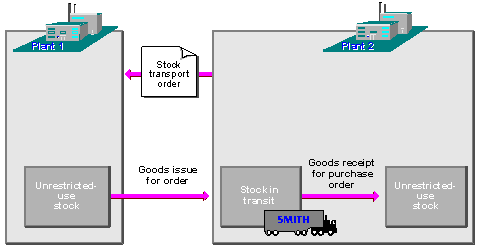
If you post the goods issue in Inventory Management, you subsequently enter the goods receipt with reference to the stock transport order.
Activities
From the Inventory Management menu, choose Goods movement → Transfer posting. Enter the data as required, entering the issuing plant and the issuing storage location as default values for the individual items. Choose movement type 351 (goods issue for a stock transport order).
Results of a Goods Issue
The goods issue posting results in the following:
- Documents
The system creates a material document for the movement. If the plants belong to different valuation areas, an accounting document is created in addition to the material document.
- Change involving stocks
The quantity is debited from the issuing plant in the receiving plant, the quantity is entered into stock (not into the unrestricted-use stock but the stock in transit on plant level). A receiving storage location has not yet been specified.
- Purchase order history
When you post a goods issue, the system automatically creates an order history record.